
In Ultimate Membership Pro, the Delete My Account add-on gives members a Delete my Account button in the Member Portal. After they confirm their password, their account is deleted and they are logged out. It lets members remove their own data without writing to you, which helps with privacy requests.
This guide switches the add-on on, puts its shortcode in a Member Portal tab and shows what members see.
Before you start
- The Delete My Account add-on is installed and active. It’s a Pro add-on, included in the Full Package and Agency plans. See Install a Pro add-on.
- Your license is active. See Find and activate your license key.
- The Member Portal is set up. See Set up the Member Portal.
- The Member Portal Tabs module is switched on, so you can add a tab. See Add custom tabs to the Member Portal.
Switch on the add-on
- Go to Ultimate Membership Pro›Modules and open Delete My Account (in Members & Registration).
- Switch on Activate/Hold Delete My Account Integration and click Save Changes.
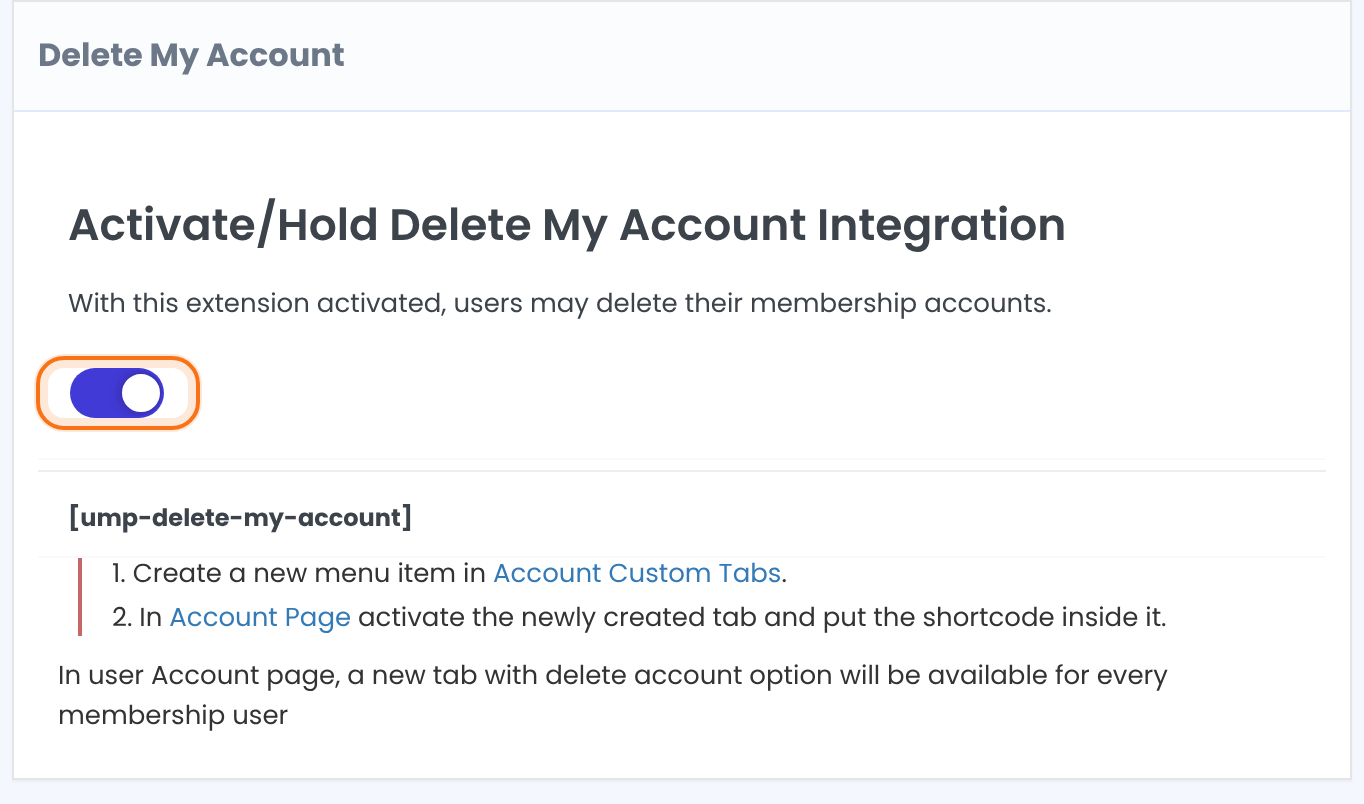
The add-on has no other settings. The screen shows the shortcode and the two steps you do next.
Shortcode
[ump-delete-my-account]Add a tab to the Member Portal
- Go to Ultimate Membership Pro›Modules, open Member Portal Tabs and add a menu item. For example, Slug
deleteaccountand LabelDelete account. - Click Save Changes. See Add custom tabs to the Member Portal for the details of this screen.
Put the shortcode in the tab
- Go to Ultimate Membership Pro›Showcases›Member Portal, scroll to Content Section and click your new tab in the menu list.
- Switch on Show in Portal. New tabs start hidden.
- Fill in Tab Title and write a short warning in Tab Content, then add the shortcode on its own line.
- Click Save Changes.
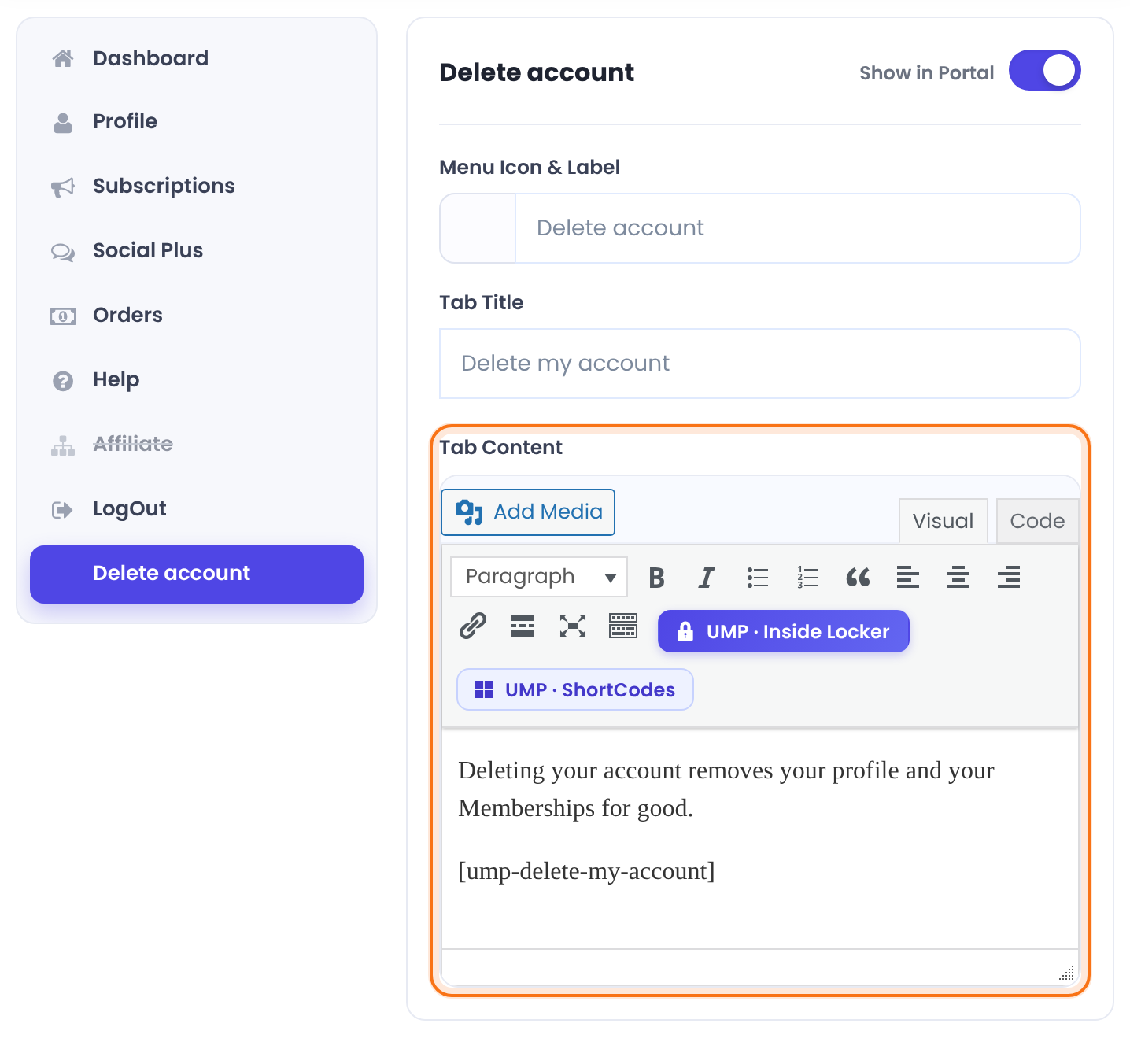
The heading above the tab content.
Your warning text and the [ump-delete-my-account] shortcode.
See what members see
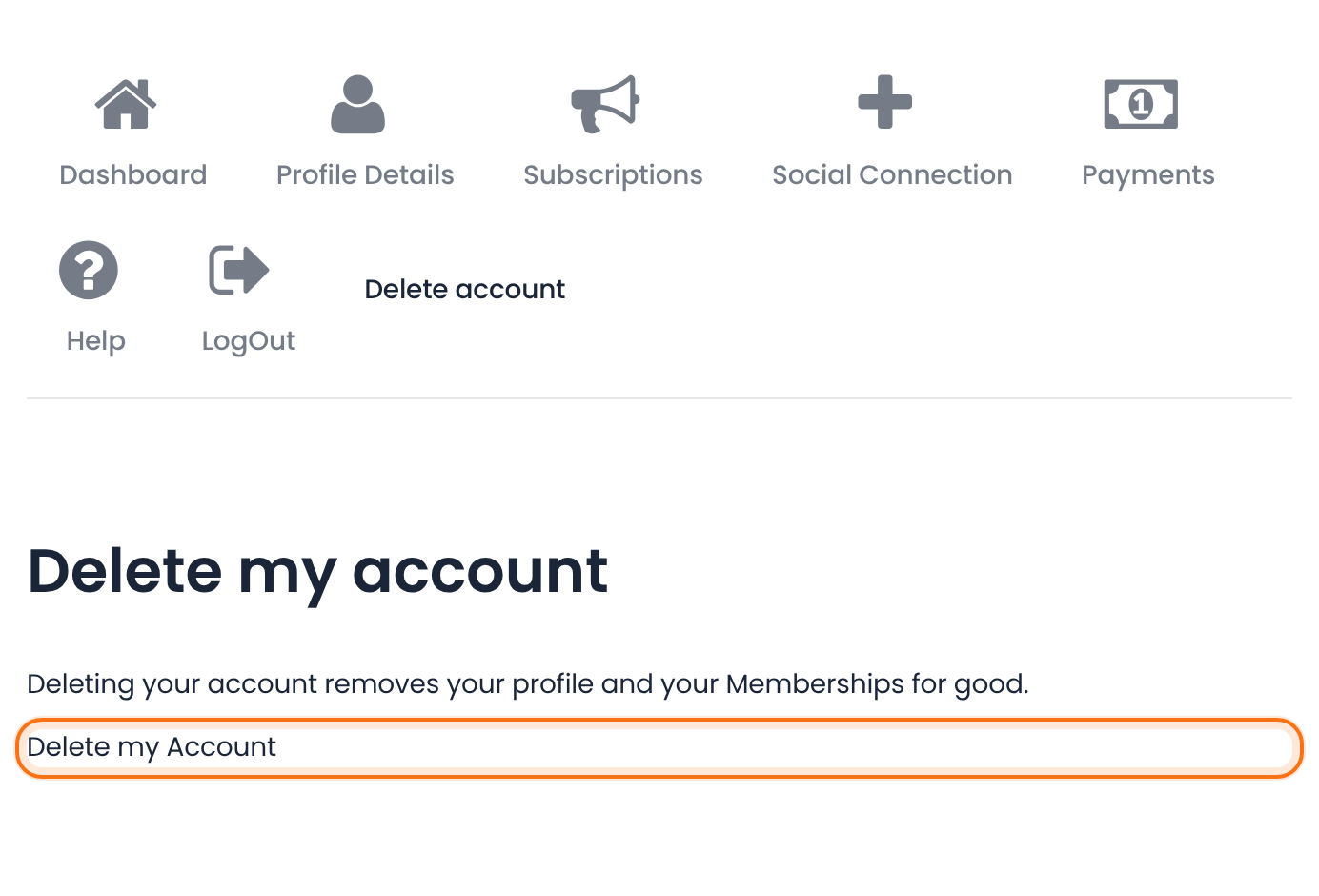
Members find the tab in their Member Portal menu. The tab shows your text and the Delete my Account button.
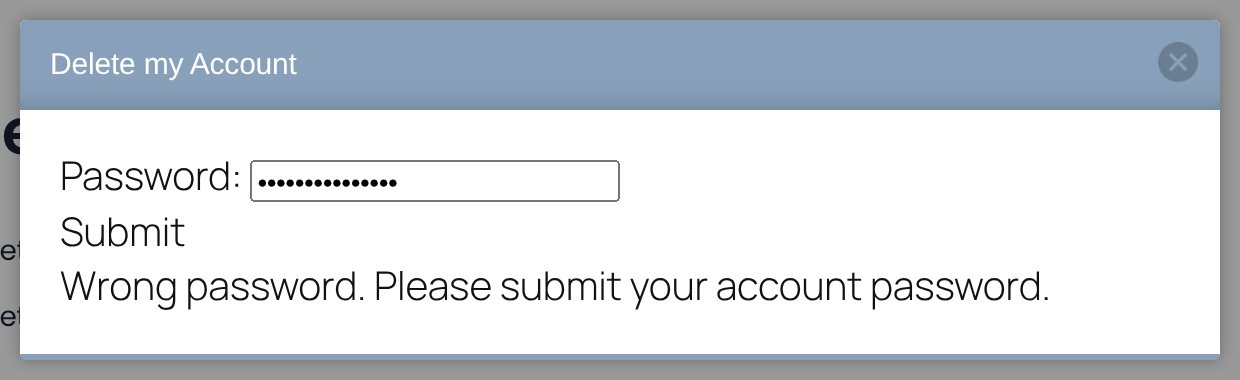
Clicking the button opens a window titled Delete my Account with a Password: field and a Submit button. If the password is wrong, the window says Wrong password. Please submit your account password. and nothing is deleted.
With the right password the member sees Your account has been deleted., is logged out and is sent to your login page, or to the home page if no login page is set.
Deleting an account can’t be undone
- The member’s WordPress user is deleted, together with the files and images they uploaded through registration fields and their custom banner.
- Tell members this in the tab content, as in the example below.
- The Account has been Deleted email notification is triggered. You can edit it under Ultimate Membership Pro›Email Notifications. See Set up email notifications.
Example: a Delete account tab for the Coaching Club
- Add-on
- Delete My Account switched on
- Tab
- Slug deleteaccount, Label Delete account
- Tab Title
- Delete my account
- Tab Content
- Deleting your account removes your profile and your Memberships for good, plus the shortcode
- Shown to
- Every logged-in member, on Free Community, Pro Monthly and Annual Pass
Learn more about Delete My Account
- Delete My Account add-on page: what it does, at a glance.
- All Pro add-ons for Ultimate Membership Pro.
- Ultimate Membership Pro plans: Pro add-ons come with the Full Package and Agency plans.
- WordPress Erase Personal Data tool.
- WordPress Export Personal Data tool.
Troubleshooting
How can members delete their own account in Ultimate Membership Pro?
Switch on the Delete My Account add-on, add a Member Portal tab and put the shortcode [ump-delete-my-account] in its Tab Content. Members then click Delete my Account in that tab and confirm with their password.
Why don’t I see the Delete my Account button?
Check that the add-on’s switch is on and saved, that Show in Portal is on for your tab, and that the Tab Content contains the shortcode.
Why does the window say “Wrong password. Please submit your account password.”?
The password typed in the window isn’t the one for the account that is logged in. Type the member’s current password and click Submit.
Can I delete a member’s account myself instead?
Yes. Administrators manage members in the Members list. See Manage your members.


