
In Ultimate Membership Pro, the My Group Accounts add-on lets a member who buys a Membership give the same access to a set number of other people, for example the staff of a company or the members of a family. You sell one Membership with several seats, and the buyer adds and removes the people who use them from their own Member Portal.
This guide switches the add-on on, sets how many seats each Membership has, and shows what the buyer and the people they invite see.
Before you start
- The My Group Accounts add-on is installed and active. It’s a Pro add-on, included in the Full Package and Agency plans. See Install a Pro add-on.
- Your license is active. See Find and activate your license key.
- At least one Membership that people can buy. See Create your first Membership.
- The Member Portal is set up, because the buyer manages the group there. See Set up the Member Portal.
Turn on My Group Accounts
- Go to Ultimate Membership Pro›Modules and open the My Group Accounts card.
- Switch on Activate/Hold My Group Accounts Integration and click Save Changes.
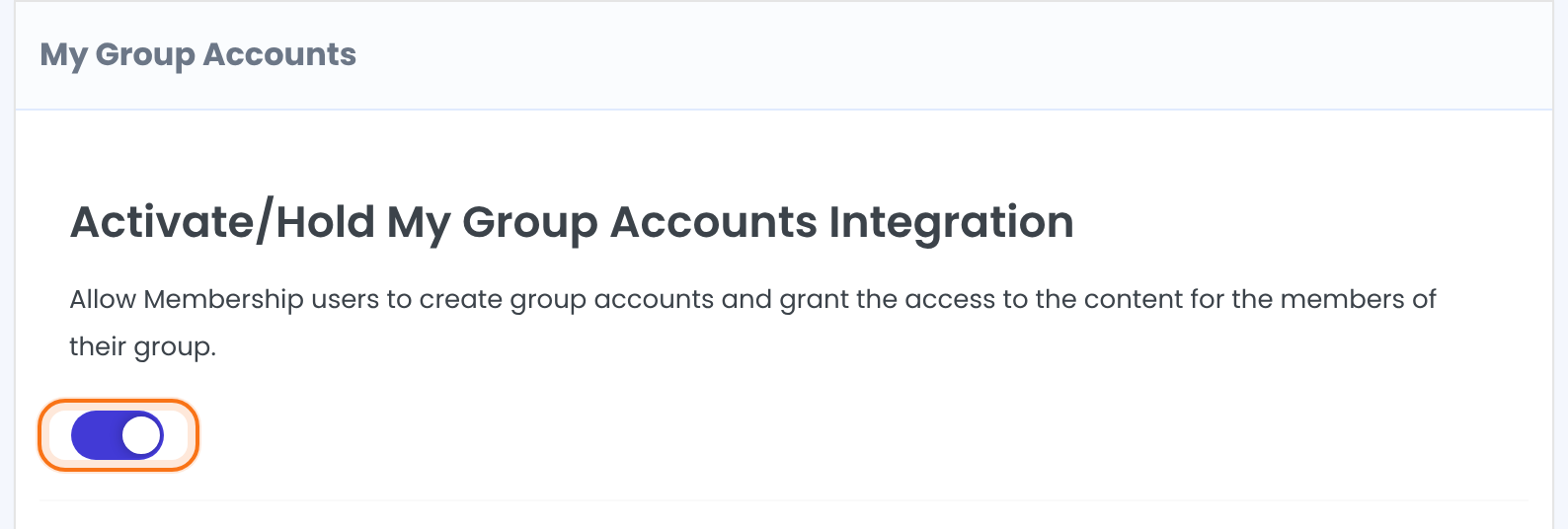
Saving adds a My Group Accounts tab to the Member Portal. Only members who hold a Membership with seats see it.
Choose which Memberships have seats
Below the switch, the screen lists every Membership. Each one has its own settings:
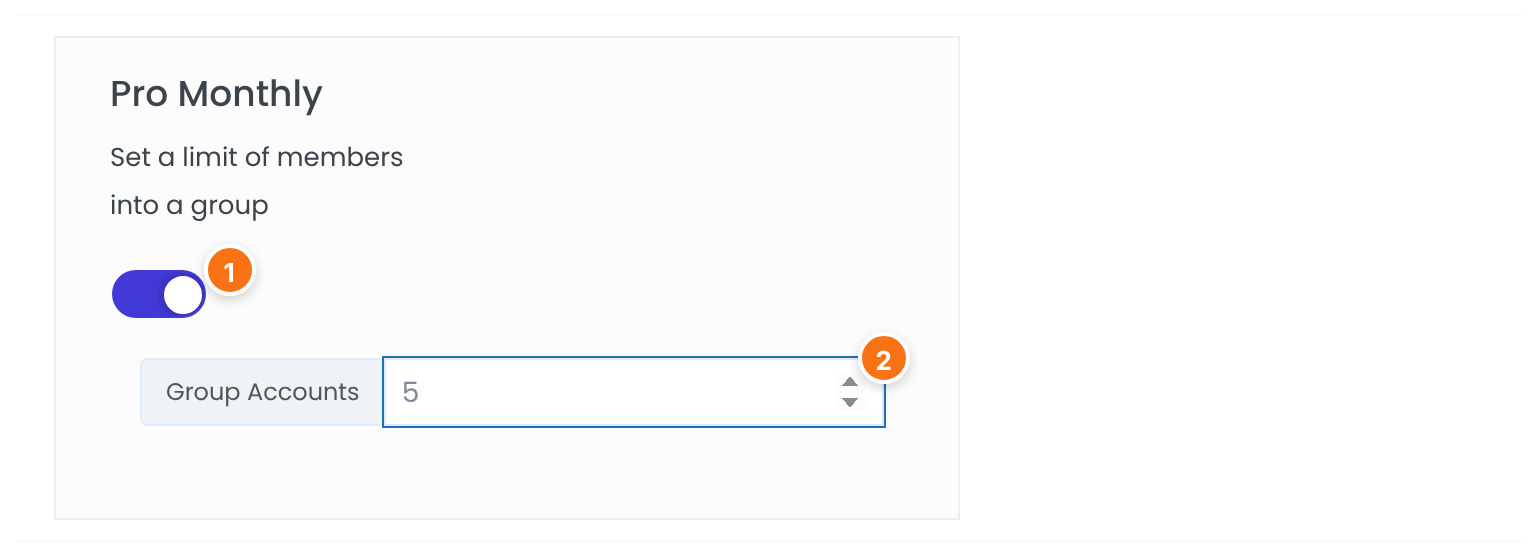
The switch under each Membership name. Turn it on for the Memberships whose buyers can add group accounts.
Default: Off
The number of seats: how many different email addresses one buyer can add for this Membership. With an empty field or 0 the buyer has no seats.
Default: Empty
You can set the same two options on the Membership itself. Open Ultimate Membership Pro›Memberships, edit the Membership and find the box Ultimate Membership Pro AddOn – My Group Accounts: its switch is the same one, and Maximum numbers of sets is the number of seats.
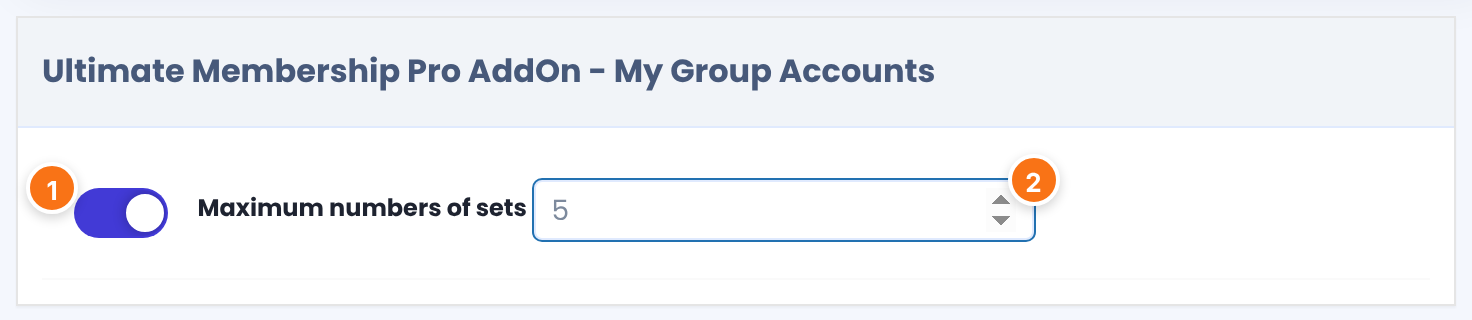
Click Save Changes when you are done. Each person added to a group uses one seat, whatever their status.
Edit the invitation emails
Ultimate Membership Pro emails each person a buyer adds to the group. There are two emails:
Sent when the email address does not belong to a member. It asks the person to sign up with that address to use the Membership they received. You edit it at the bottom of the My Group Accounts screen: a Subject: and a Message:, with the placeholders {first_name}, {last_name}, {sponsor_first_name}, {sponsor_last_name}, {sponsor_email}, {site_url} and {level_name} listed beside the editor. The buyer’s Resend invitation button sends it again.
Sent when the email address belongs to a member. You edit it with your other emails: go to Ultimate Membership Pro›Email Notifications, add or edit a notification and pick MGA – Notification to registered user. in the type list. See Set up email notifications.
What the buyer sees
A member whose Membership has seats gets a My Group Accounts tab in the Member Portal. It has a form to add a person and a table with the group:
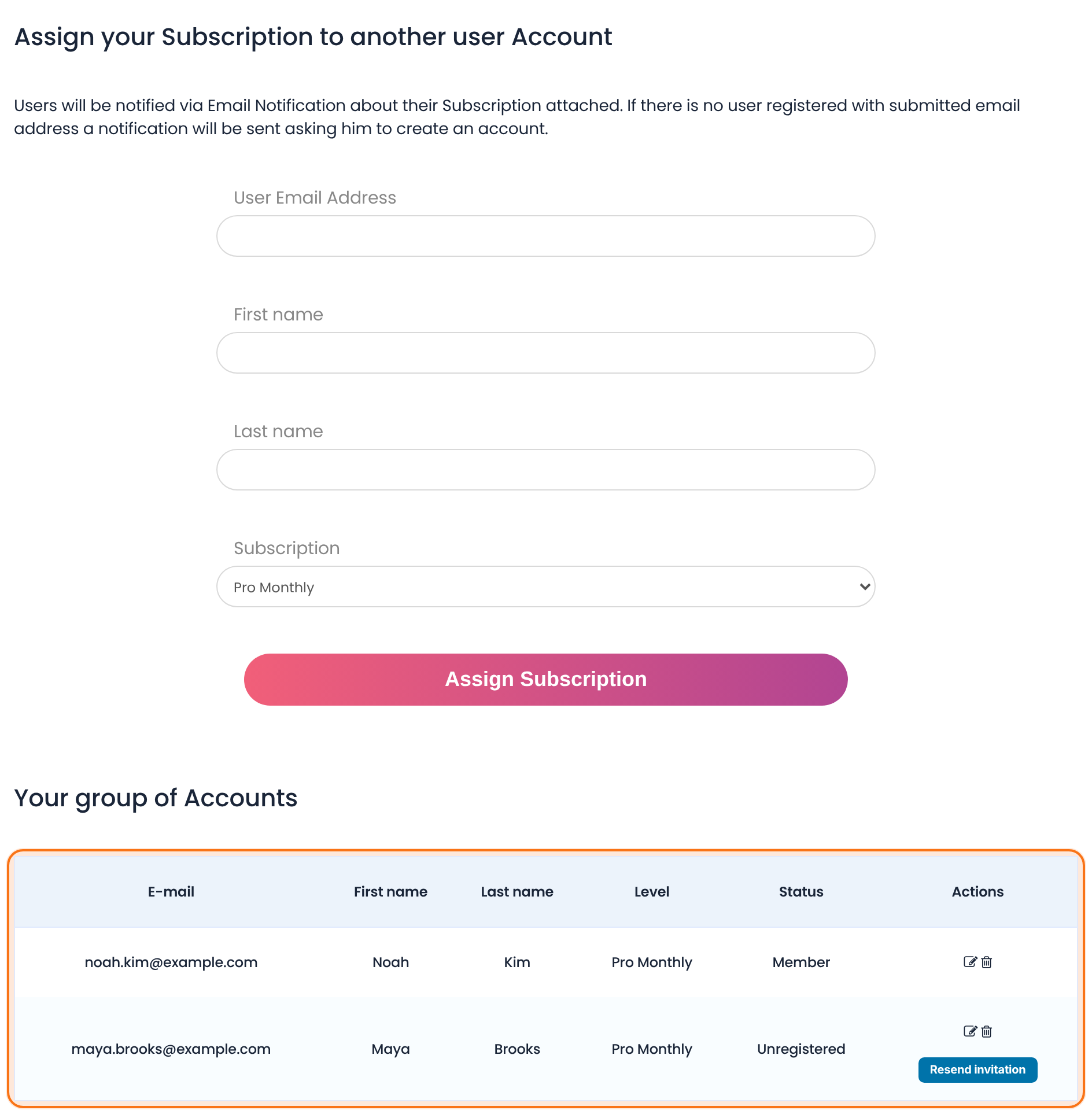
The email address of the person who gets access.
Used in the invitation email when the person has no account yet. If the person is already a member, their own name is shown.
The Membership to share. The list shows only Memberships the buyer holds that still have free seats.
Adds the person and sends the invitation email.
Member when the person has an account, Unregistered when they do not. An unregistered person is linked to the group as soon as they register with the same email address.
The edit icon loads the person into the form, where the button becomes Edit Subscription. The bin icon removes the person after a confirmation and frees the seat. Resend invitation appears for unregistered people.
What the people in the group get
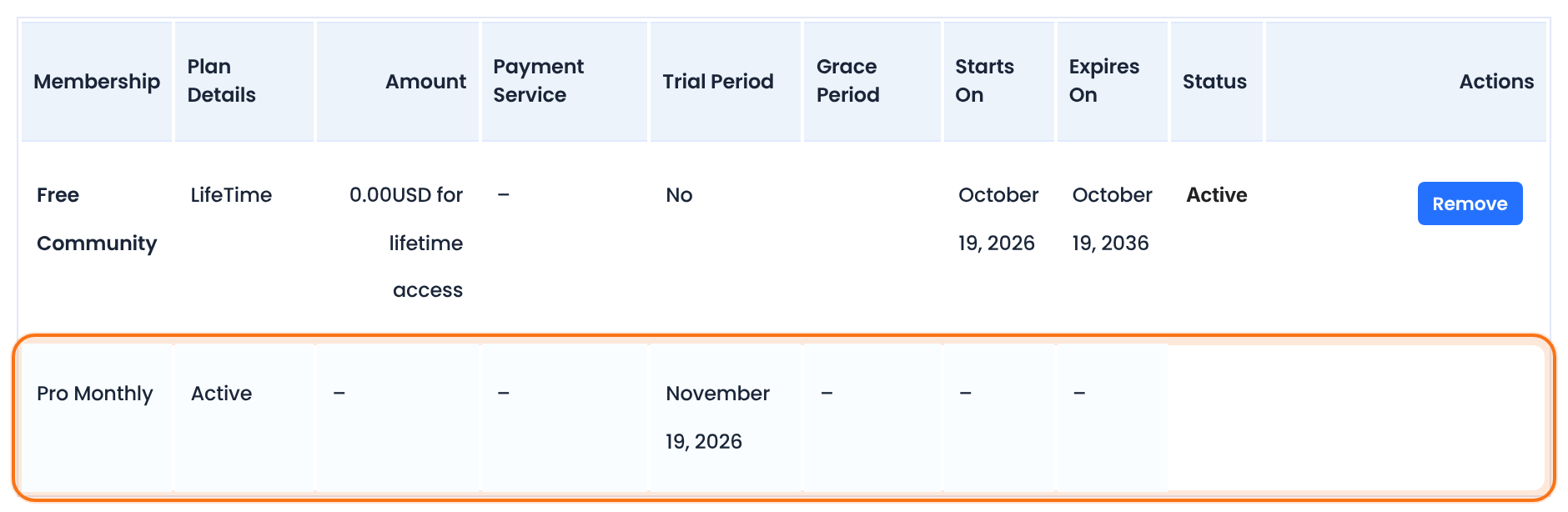
A person in a group gets the Membership of the buyer: the pages, posts and other content that Membership unlocks. Their Subscriptions table in the Member Portal shows the Membership as Active, with the same end date as the buyer’s.
Good to know
- The access depends on the buyer: it lasts only while the buyer’s Membership is active.
- Each email address counts once per buyer and Membership.
- Set what the Membership unlocks under Ultimate Membership Pro›Access Rules as usual. See Restrict content with Access Rules.
Example: a team plan for Coaching Club
- Activate/Hold My Group Accounts Integration
- On
- Pro Monthly: switch / Group Accounts
- On / 5
- Free Community and Annual Pass
- Switch off, no seats
- Buyer
- The buyer adds noah.kim (a member) and maya.brooks (no account yet)
- Result
- Noah sees Pro Monthly in his Subscriptions. Maya gets an invitation email and joins the group when she registers.
Learn more about My Group Accounts
- My Group Accounts add-on page: what it does, at a glance.
- All Pro add-ons for Ultimate Membership Pro.
- Ultimate Membership Pro plans: Pro add-ons come with the Full Package and Agency plans.
- Adding new users in WordPress.
Troubleshooting
Why doesn’t a member see the My Group Accounts tab?
The tab is shown only to members who hold a Membership whose seat switch is on. Check the switch for that Membership, and that the member’s Membership is active. If the tab is missing for everyone, check that the Member Portal shows it. See Set up the Member Portal.
What does “Are no Subscriptions available for Group Accounts.” mean?
The member opened the tab without holding a Membership that has seats. Turn on the seat switch for their Membership, or make sure they have bought one.
Why is the Subscription list empty or missing a Membership?
The list shows only Memberships with seats left. The buyer has used all the seats set in Group Accounts, or the number is empty or 0. Raise the number, or the buyer can remove someone from the group first.
What happens to the group when the buyer’s Membership expires?
The people in the group lose the access that came from it, because it depends on the buyer’s Membership being active. If the buyer renews, the group has access again.
How do I get more seats for one buyer?
Seats are set for each Membership, not for each buyer. To offer larger teams, create a second Membership with a higher Group Accounts number.
How do I share a Membership with several people in Ultimate Membership Pro?
Turn on the My Group Accounts add-on, switch on seats for the Membership and set Group Accounts. The buyer then adds people by email from the My Group Accounts tab of the Member Portal.


