
In Ultimate Membership Pro, the Restrict JivoChat add-on controls who sees the JivoChat live chat on your site. You choose the groups that get the chat: unregistered visitors, registered users, or members of specific Memberships. It lets you keep live support as a perk for paying members.
This guide switches the add-on on and chooses who sees the chat.
Before you start
- The Restrict JivoChat add-on is installed and active. It’s a Pro add-on, included in the Full Package and Agency plans. See Install a Pro add-on.
- Your license is active. See Find and activate your license key.
- The JivoChat plugin for WordPress is installed, connected to your JivoChat account and showing the chat on your site.
- Your Memberships exist. See Create your first Membership.
Switch on the add-on
- Go to Ultimate Membership Pro›Modules and open Restrict JivoChat (in the Content Protection group).
- Switch on Activate/Hold Restrict JivoChat Integration and click Save Changes.
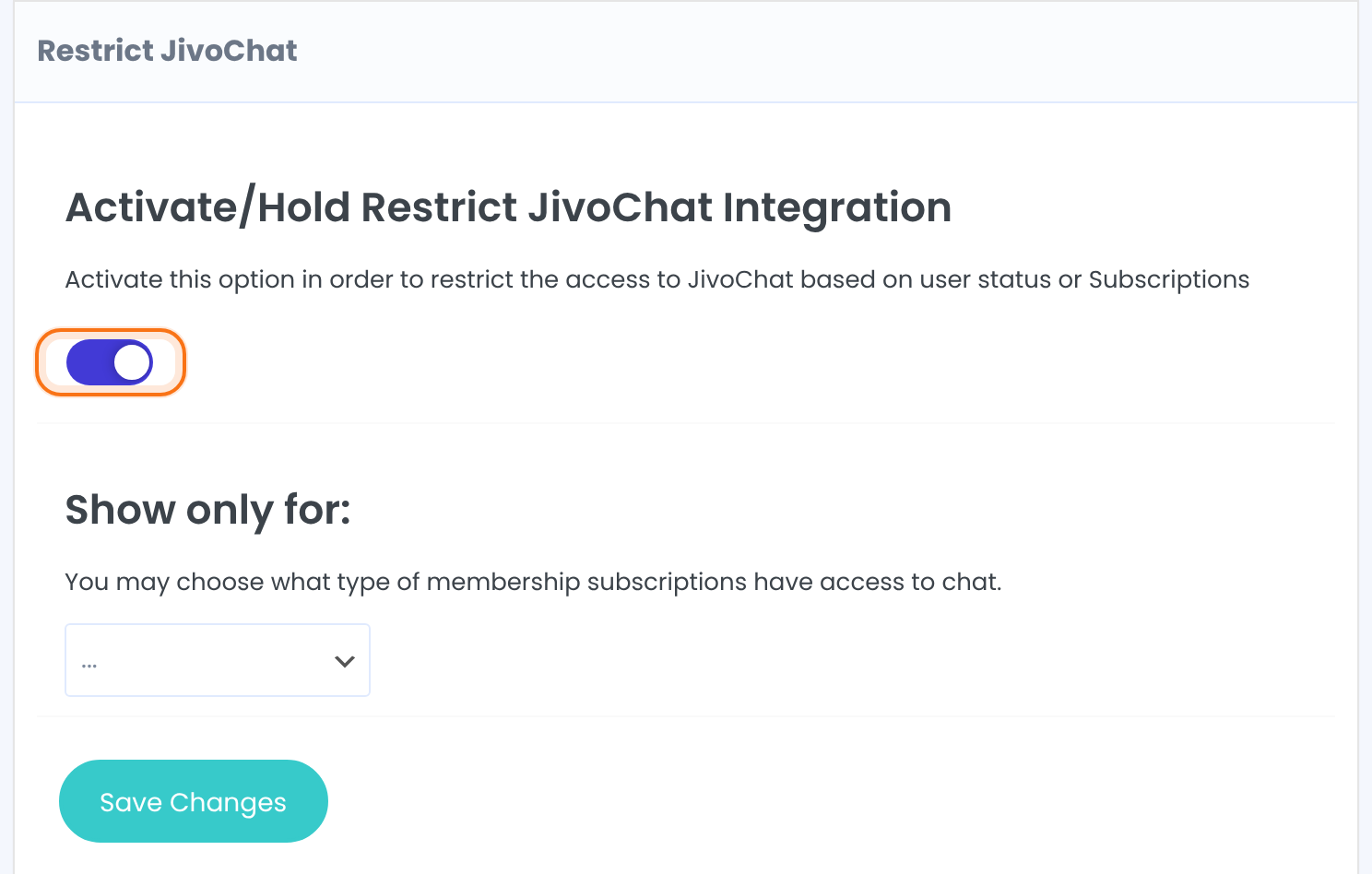
Choose who sees the chat
- Under Show only for:, open the list and pick a group. It is added as a tag below the list. Repeat to add more groups.
- To remove a group, click the x on its tag.
- Click Save Changes.
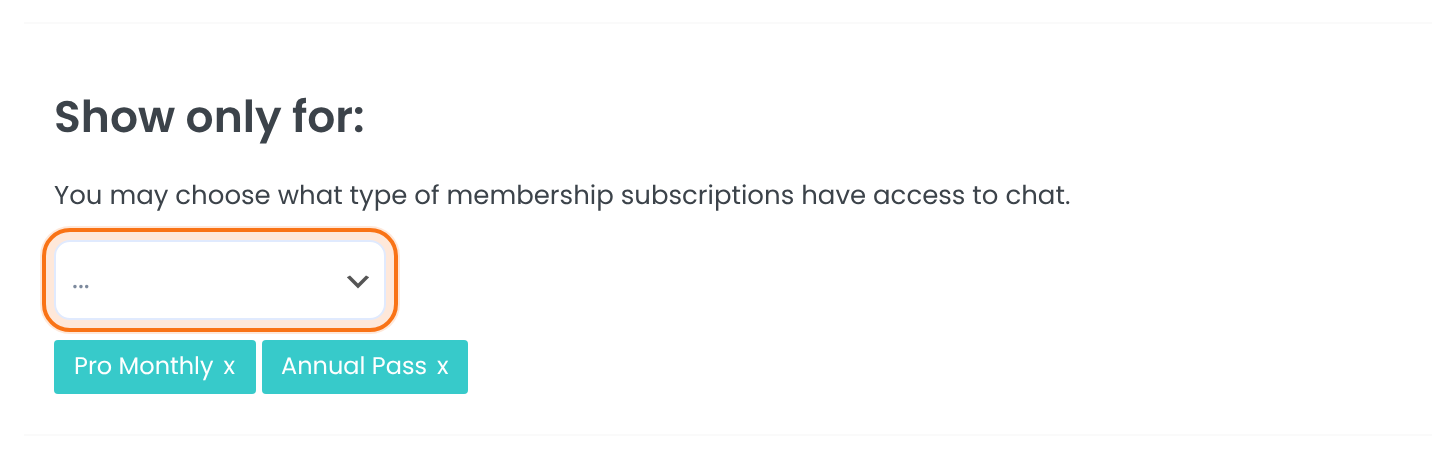
The groups that get the chat. With nothing selected, the add-on leaves the chat as it is. The list offers these choices:
- Unregistered Users: visitors who are not logged in.
- Registered Users: logged-in users.
- Each of your Memberships, for example Free Community, Pro Monthly and Annual Pass: members whose Membership is active.
Default: Empty
When someone isn’t in a chosen group, the add-on removes the JivoChat chat code from the footer of that person’s pages, so the chat doesn’t appear for them.
Active Memberships only
- A member whose Membership has expired is treated as not holding it.
- To see who has which Membership, open your members list. See Manage your members.
Example: live chat for paying members only
- Show only for
- Pro Monthly ($19/month) and Annual Pass
- Pro Monthly and Annual Pass members
- See the chat
- Free Community members and visitors
- Don’t see the chat
Learn more about Restrict JivoChat
- Restrict JivoChat add-on page: what it does, at a glance.
- All Pro add-ons for Ultimate Membership Pro.
- Ultimate Membership Pro plans: Pro add-ons come with the Full Package and Agency plans.
- JivoChat plugin on WordPress.org.
Troubleshooting
How do I show JivoChat only to members in Ultimate Membership Pro?
Switch on the Restrict JivoChat add-on, add the Memberships that should have the chat under Show only for:, and click Save Changes.
Why does everyone still see the chat?
Check that the switch is on and saved, and that Show only for: has at least one group. With the list empty, the add-on leaves the chat for everyone.
Why has a member lost the chat?
The member probably holds none of the chosen Memberships, or the Membership has expired. Add the Membership to the list, or add Registered Users to give the chat to every logged-in user.
Does the add-on set up JivoChat itself?
No. Install and connect the JivoChat plugin first. This add-on only decides who gets it.


