
In Ultimate Membership Pro, the Granted Access Based On IP add-on lets visitors who connect from IP addresses on your white list open restricted pages and partly restricted content, without logging in or holding a Membership. It suits an office network, a school or a partner company that should see your members-only content from their own network.
This guide switches the add-on on, shows how to write the list of IP addresses and what a visitor from a listed address sees.
Before you start
- The Granted Access Based On IP add-on is installed and active. It’s a Pro add-on, included in the Full Package and Agency plans. See Install a Pro add-on.
- Your license is active. See Find and activate your license key.
- Some content is restricted. See Restrict content with Access Rules.
- You know the public IP address of the network you want to allow. A search for “what is my IP” on that network shows it.
Turn it on and add the IP addresses
- Go to Ultimate Membership Pro›Modules and open the Granted Access card.
- Switch on Activate/Hold Granted Access Based On IP Integration.
- Type the addresses in White List IPs: and click Save Changes.
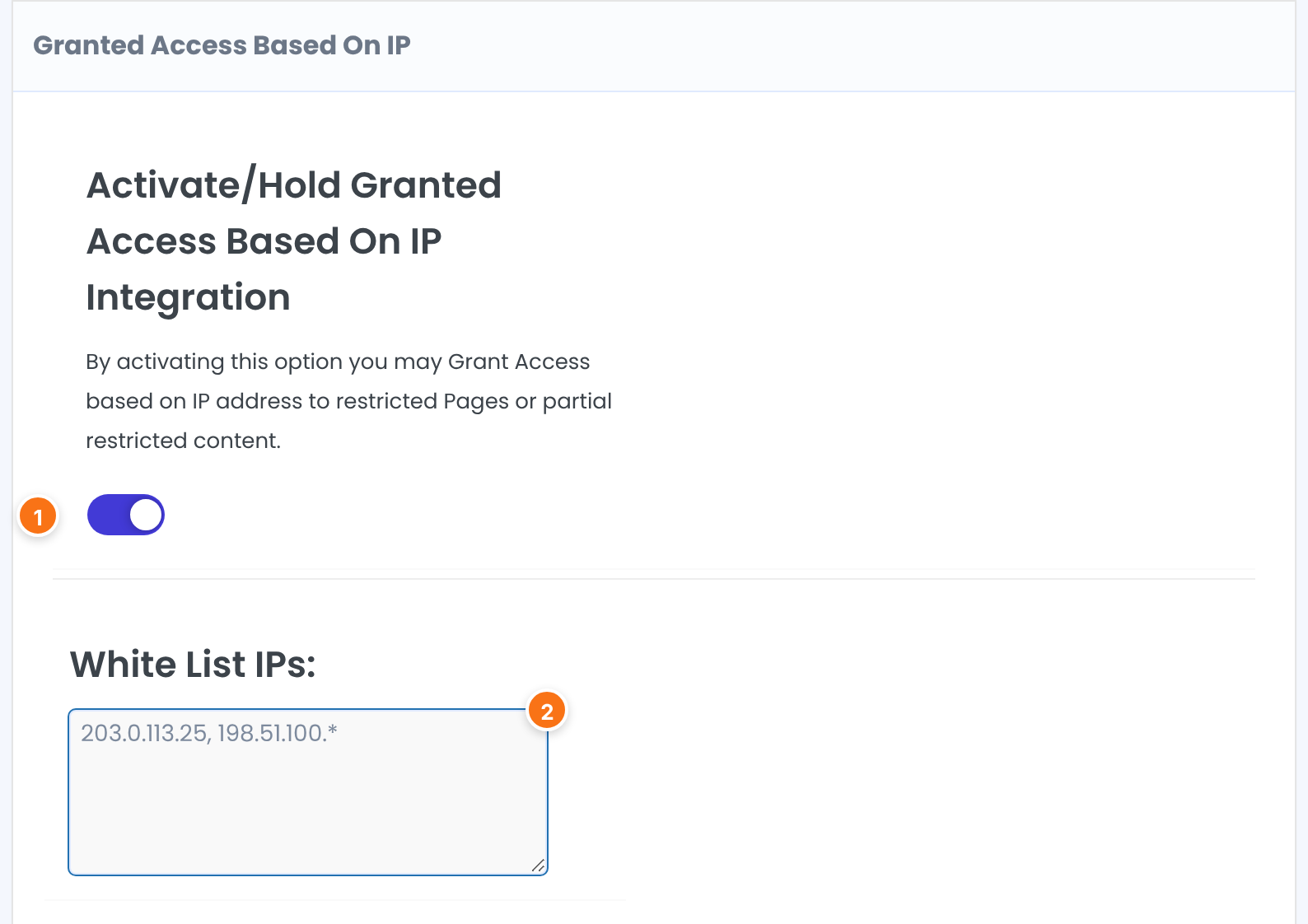
Turns the add-on on. It grants access to restricted pages or partly restricted content based on the visitor’s IP address.
Default: Off
The addresses that get access. Separate them with commas, for example 203.0.113.25, 198.51.100.7. To allow a whole range, end an address with a star: 198.51.100.* matches every address that starts with 198.51.100. With an empty list, the add-on does nothing.
Default: Empty
See what a visitor from a listed address gets
Take a page restricted to Pro Monthly. A visitor who is not logged in sees the message for non-members:

A visitor whose address is on the list opens the same page, with no login:

The same applies to content hidden with an Inside Locker and to other restrictions. Your access rules do not change: the add-on only lets listed addresses through.
Keep the list short and exact
- Everyone who connects from a listed address gets access, logged in or not. Add only networks you trust.
- A star range is a prefix match. Write the dot before the star, as in 198.51.100.*, so that you don’t allow more addresses than you mean to.
- Home and mobile connections often change address. List fixed addresses, such as an office or a server.
- The add-on reads the visitor’s address from the Client-IP or X-Forwarded-For header when your server provides one, and otherwise from the connection itself.
Example: let a partner school preview the course
- Activate/Hold Granted Access Based On IP Integration
- On
- White List IPs:
- 203.0.113.25, 198.51.100.*
- Page “Coaching Club – Pro workshop”
- Restricted to Pro Monthly
- Result
- People on the partner’s network open the page with no account. Everyone else still needs Pro Monthly.
Learn more about Granted Access Based On IP
- Granted Access Based On IP add-on page: what it does, at a glance.
- All Pro add-ons for Ultimate Membership Pro.
- Ultimate Membership Pro plans: Pro add-ons come with the Full Package and Agency plans.
- X-Forwarded-For header and client IP (MDN).
Troubleshooting
Someone on a listed network still sees the restriction message. Why?
Check that the switch is on and saved and that the address is typed exactly, with commas between addresses. The address must be the public one your site sees, not the private address of a computer inside the network (for example one starting with 192.168). If your site sits behind a proxy or a CDN, the address it reports may be the proxy’s.
How do I allow a whole range of addresses?
End the address with a star, for example 198.51.100.*. Every address that starts with 198.51.100 is allowed.
Does a visitor on a listed address need a Membership?
No. The add-on opens restricted content for the address alone, with no login and no Membership.
How do I give access to restricted content by IP address in Ultimate Membership Pro?
Turn on the Granted Access Based On IP add-on, type the allowed addresses in White List IPs separated by commas, and save. Visitors from those addresses can open restricted pages.


