
In Ultimate Membership Pro, the Payment Reminder add-on sends an email to members whose order is still Pending, to remind them to finish paying. Orders stay Pending when a member leaves the payment page or waits to pay by bank transfer, so a friendly reminder brings back sales you would otherwise lose.
This guide switches the add-on on, sets when and how often the reminder goes out, and edits the email.
Before you start
- The Payment Reminder add-on is installed and active. It’s a Pro add-on, included in the Full Package and Agency plans. See Install a Pro add-on.
- Your license is active. See Find and activate your license key.
- Your site sends email and its scheduled tasks (WP-Cron) run. See Emails are not sent if messages don’t arrive.
How it fits with email notifications
The built-in email notifications tell members what happened: New Order Created when the order is placed, and Before Subscription Payment due before a renewal is charged. None of them follows up when an order stays Pending. See Set up email notifications.
Payment Reminder fills that gap. It has its own email template and its own timing, set on its own screen, and it is sent only for orders that are still Pending. It uses the sender name and address of your other notifications. See Change the sender name and email.
Switch on the add-on
- Go to Ultimate Membership Pro›Modules and open the Payment Reminder card.
- Switch on Activate/Hold Payment Reminder Integration and click Save Changes.
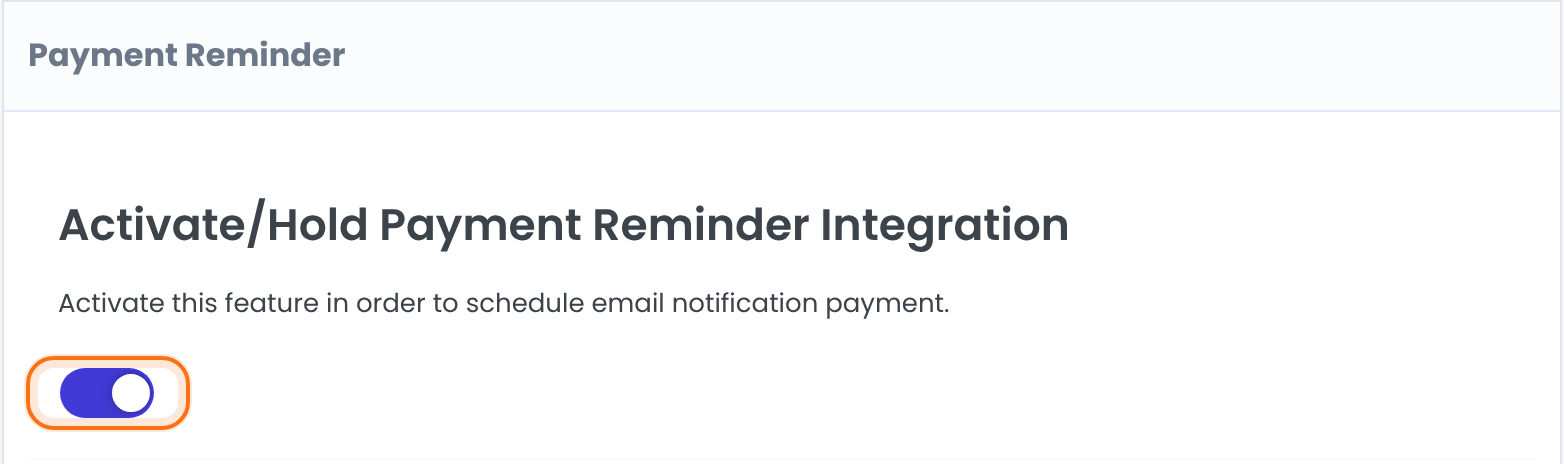
Schedules the reminder emails. When it’s on, a check runs once a day.
Default: Off
Set when and how often to remind
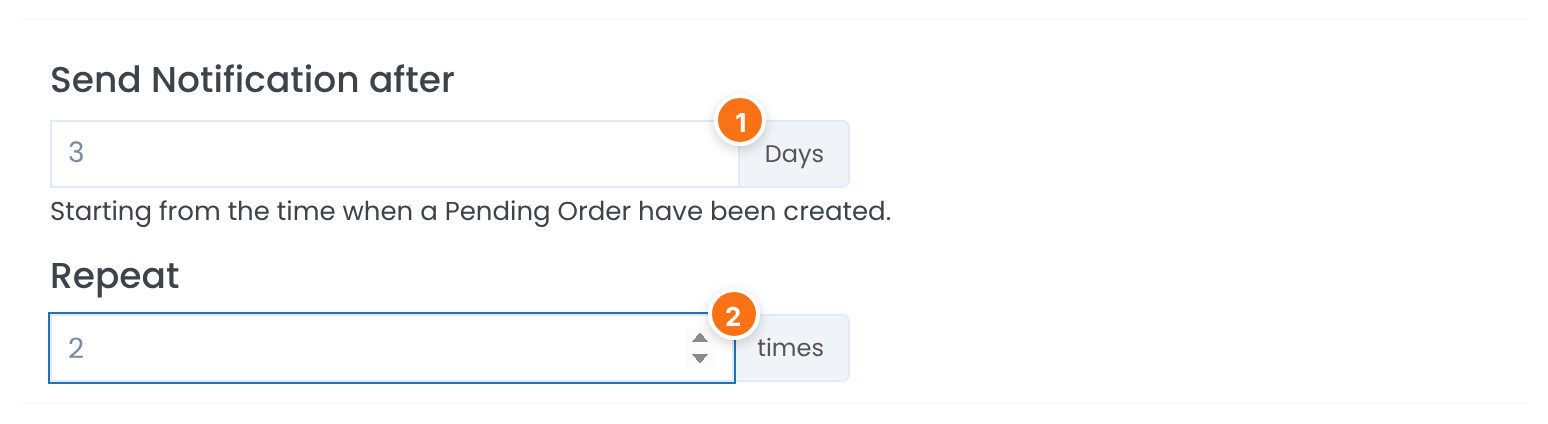
Days to wait. The count starts from the time the Pending order was created. The minimum is 1.
Default: 1 Days
How many reminders one order can get. They go out on consecutive days, one per daily check. The minimum is 1.
Default: 1 times
The check runs once a day, so a reminder goes out within a day of the time you set. A reminder is sent only while the order is still Pending: once the member pays, nothing more is sent.
Edit the reminder email
Under Reminder Notification Template write the subject and the message, then click Save Changes. The tags listed beside the editor are replaced with the member’s and the order’s details.
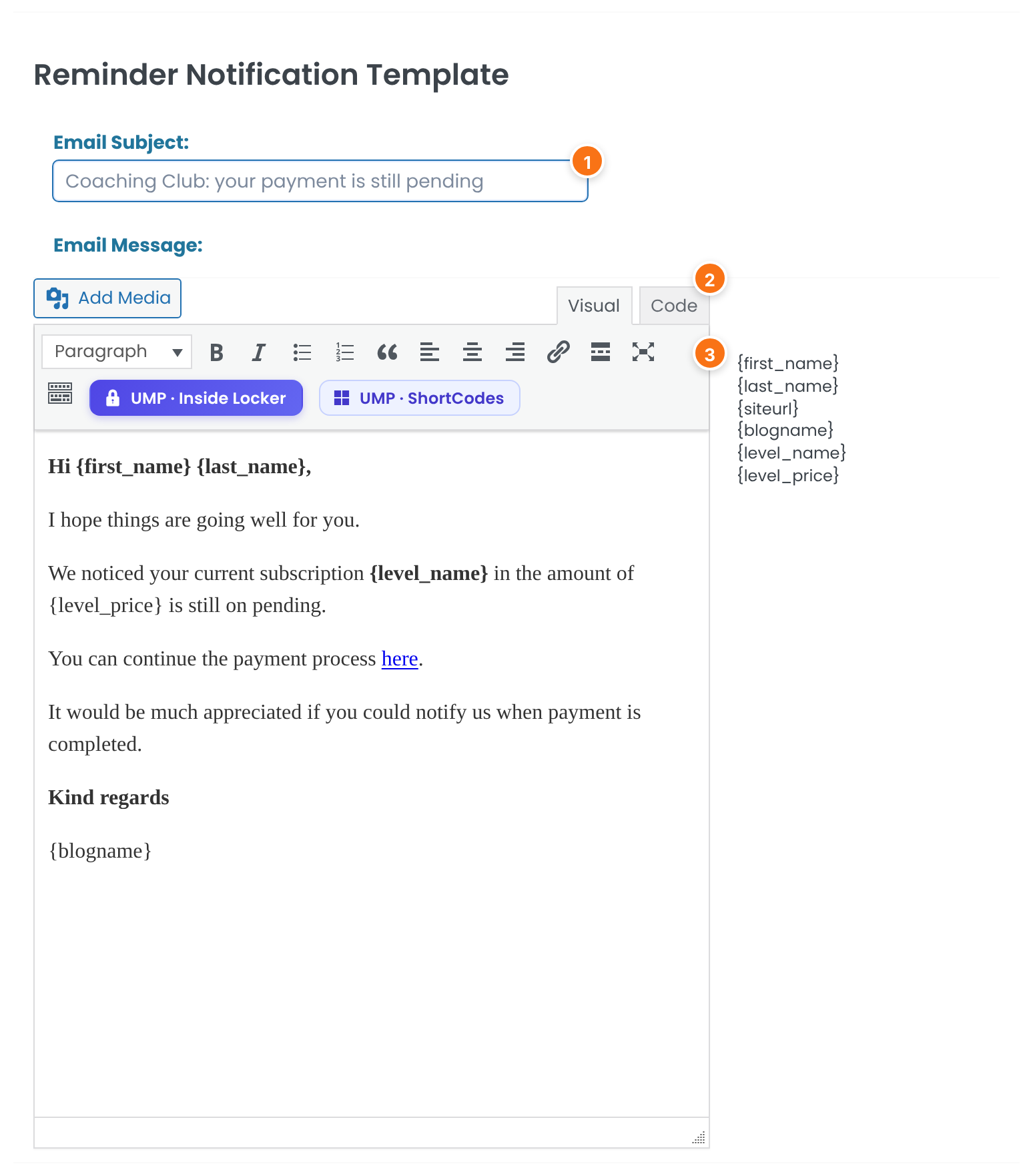
The subject line. Tags work here too.
Default: {blogname}: Payment reminder notification
The body, written in the editor. The default message greets the member, names the Membership and its price, says the order is still pending and links to your site. It starts: “Hi {first_name} {last_name}, I hope things are going well for you.”
{first_name} and {last_name}: the member’s name. {siteurl}: your site address. {blogname}: your site title. {level_name}: the Membership of the order. {level_price}: the order amount with its currency.
One template for every Membership
The same email goes to every member with a Pending order, whatever the Membership. Use the Membership and price tags to personalize it.
Check it with a test member
Place an order with a test account and pay by bank transfer, so it stays Pending. After the number of days you set, the daily check sends the reminder to that account. See Accept bank transfers.
Example: remind twice after three days
- Activate/Hold Payment Reminder Integration
- On
- Send Notification after
- 3 Days
- Repeat
- 2 times
- Email Subject:
- Coaching Club: your payment is still pending
- Email Message:
- The default text, naming Pro Monthly and its price
Learn more about Payment Reminder
- Payment Reminder add-on page: what it does, at a glance.
- All Pro add-ons for Ultimate Membership Pro.
- Ultimate Membership Pro plans: Pro add-ons come with the Full Package and Agency plans.
- wp_mail() function reference.
Troubleshooting
Why didn’t a member get a reminder?
Check that the add-on switch is on and saved, that the order is still Pending in Payment History, and that enough days have passed since it was created. The check runs once a day and needs WP-Cron. See Manage payments and orders for order statuses.
A reminder was sent but the member says it never arrived.
The add-on hands the email to your site’s mail system. If the member doesn’t see it, check spam and your email setup. See Emails are not sent.
How many reminders can one order get?
As many as you set in Repeat, one per daily check. With the default of 1, each Pending order gets a single reminder.
Can I write a different reminder for each Membership?
No. There is one template for all orders. Use the {level_name} and {level_price} tags to name the Membership and the amount.
Do members who already paid get the reminder?
No. Only orders whose status is still Pending are reminded.
How do I remind members to pay in Ultimate Membership Pro?
Switch on the Payment Reminder add-on, set Send Notification after and Repeat, edit the email and save. Members with a Pending order then get the email after the number of days you chose.


