
In Ultimate Membership Pro, the WooCommerce Redirect add-on sends members who log in through the WooCommerce login form to the page you chose as After Login, instead of the page WooCommerce would show. Without it, a member who logs in on a WooCommerce page lands in the WooCommerce account area, even though you want them in your Member Portal.
This guide switches the add-on on and shows where to choose the page members are sent to.
Before you start
- The WooCommerce Redirect add-on is installed and active. It’s a Pro add-on, included in the Full Package and Agency plans. See Install a Pro add-on.
- Your license is active. See Find and activate your license key.
- WooCommerce is installed and active, and your members log in with its login form.
- A page is chosen as After Login in Ultimate Membership Pro. Step 2 shows where.
Switch on the add-on
- Go to Ultimate Membership Pro›Modules and open WooCommerce Redirect, in the Integrations group.
- Switch on Activate/Hold WooCommerce Redirect Integration.
- Click Save Changes.
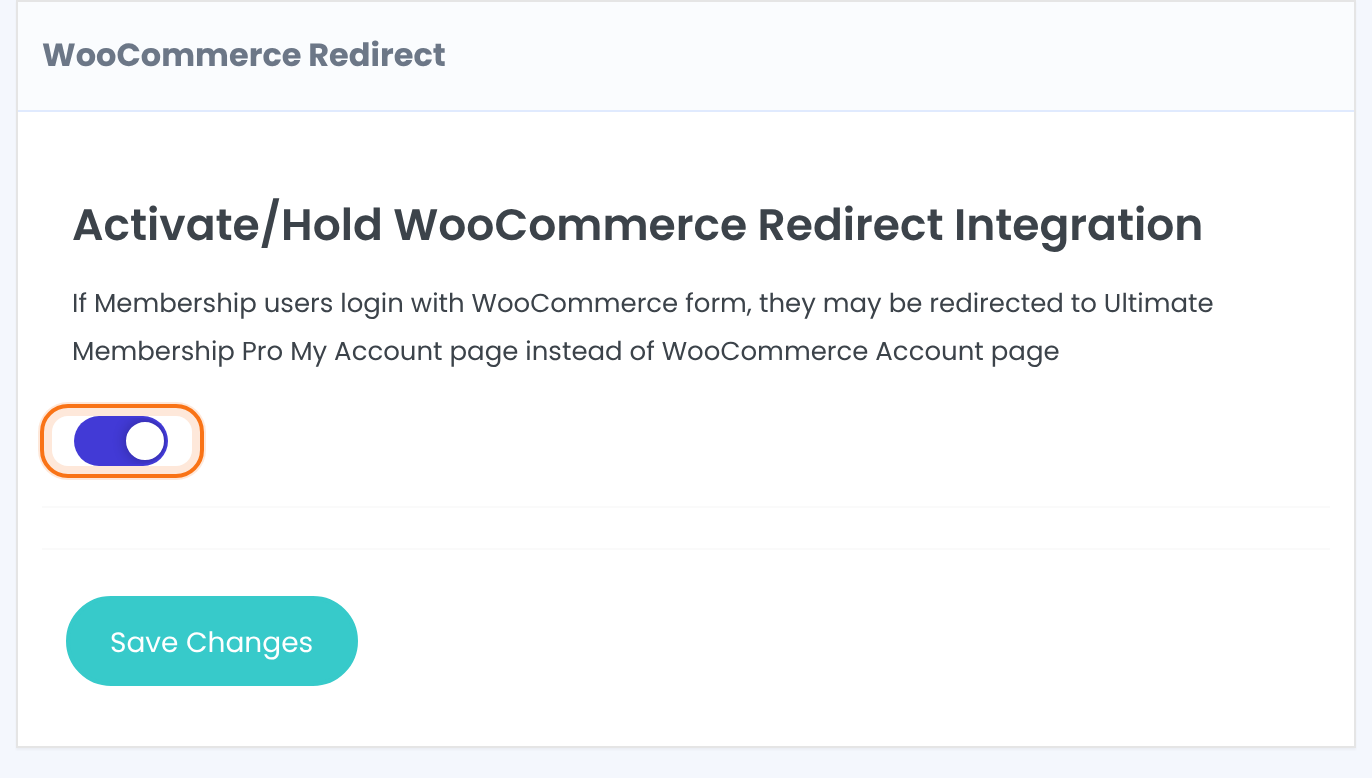
Turns the redirect on or off. The screen explains it this way: if Membership users log in with the WooCommerce form, they may be redirected to the Ultimate Membership Pro My Account page instead of the WooCommerce Account page.
Default: Off
Choose the page members are sent to
The add-on has no page setting of its own. It uses the page you already chose for logins in Ultimate Membership Pro.
- Go to Ultimate Membership Pro›Settings›Pages Setup.
- In Redirects Setup, set After Login to the page members should see after logging in, for example your Member Portal page.
- Click Save Changes.
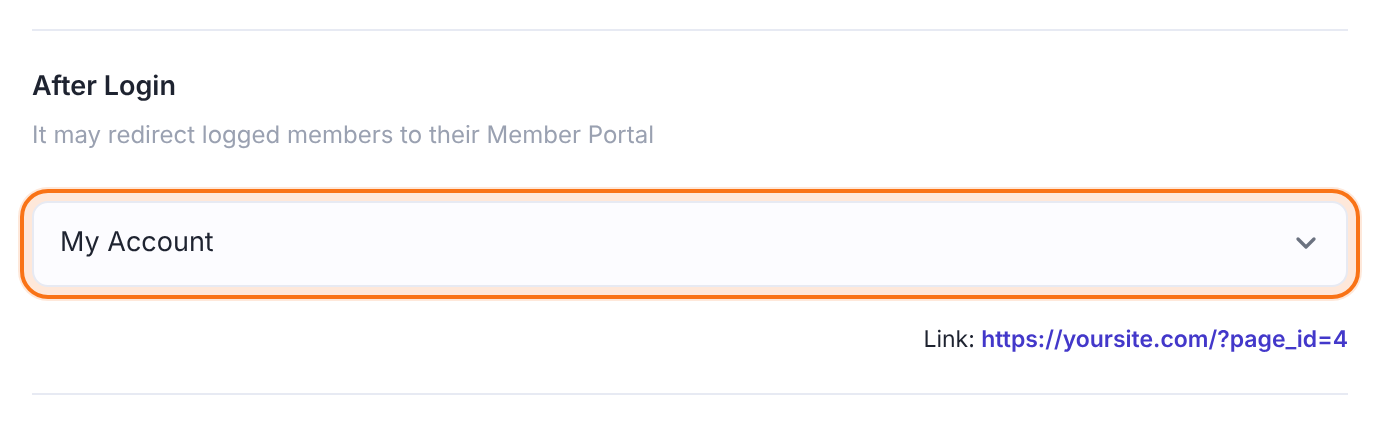
With the add-on on, a member who logs in through the WooCommerce login form is sent to that page. If After Login is set to Do Not Redirect, the add-on changes nothing and WooCommerce uses its own destination.
Only the WooCommerce login form
The add-on affects logins made with the WooCommerce form. Logins on the Ultimate Membership Pro login form use your After Login setting as usual. To send members to different pages by Membership, see Redirect members after login.
Example: members who log in while shopping
- WooCommerce Redirect
- On
- After Login
- My Account (the Member Portal page)
- Result
- Members log in with the WooCommerce form and see their Memberships, not the WooCommerce dashboard
Learn more about WooCommerce Redirect
- WooCommerce Redirect add-on page: what it does, at a glance.
- All Pro add-ons for Ultimate Membership Pro.
- Ultimate Membership Pro plans: Pro add-ons come with the Full Package and Agency plans.
- WooCommerce pages, including My Account.
Troubleshooting
Why do members still land on the WooCommerce account page after they log in?
Check that the switch is on and saved, and that After Login in Settings›Pages Setup is set to a page. When After Login is set to Do Not Redirect, WooCommerce sends members to its usual destination.
Does the add-on change where the Ultimate Membership Pro login form sends members?
No. The Ultimate Membership Pro login form keeps using After Login, and Redirect members after login still decides redirects by Membership there. The add-on only covers the WooCommerce login form.
How do I redirect members after a WooCommerce login in Ultimate Membership Pro?
Switch on the WooCommerce Redirect add-on and choose the page under Settings › Pages Setup › Redirects Setup › After Login. Members who log in with the WooCommerce form are then sent to that page.


