
In Ultimate Membership Pro, the Customer Activity Tracking add-on saves the last time each logged-in member visited your site and shows it in a Last Active column of the Members list. It tells you who is still around and who hasn’t been back for weeks, so you can reach out before they cancel.
This guide switches the add-on on, explains what the Last Active column shows, and compares it with the Members Reports module.
Before you start
- The Customer Activity Tracking add-on is installed and active. It’s a Pro add-on, included in the Full Package and Agency plans. See Install a Pro add-on.
- Your license is active. See Find and activate your license key.
Switch on the add-on
- Go to Ultimate Membership Pro›Modules and open Customer Activity Tracking (in Members & Registration).
- Switch on Activate/Hold Customer Activity Tracking Integration and click Save Changes.
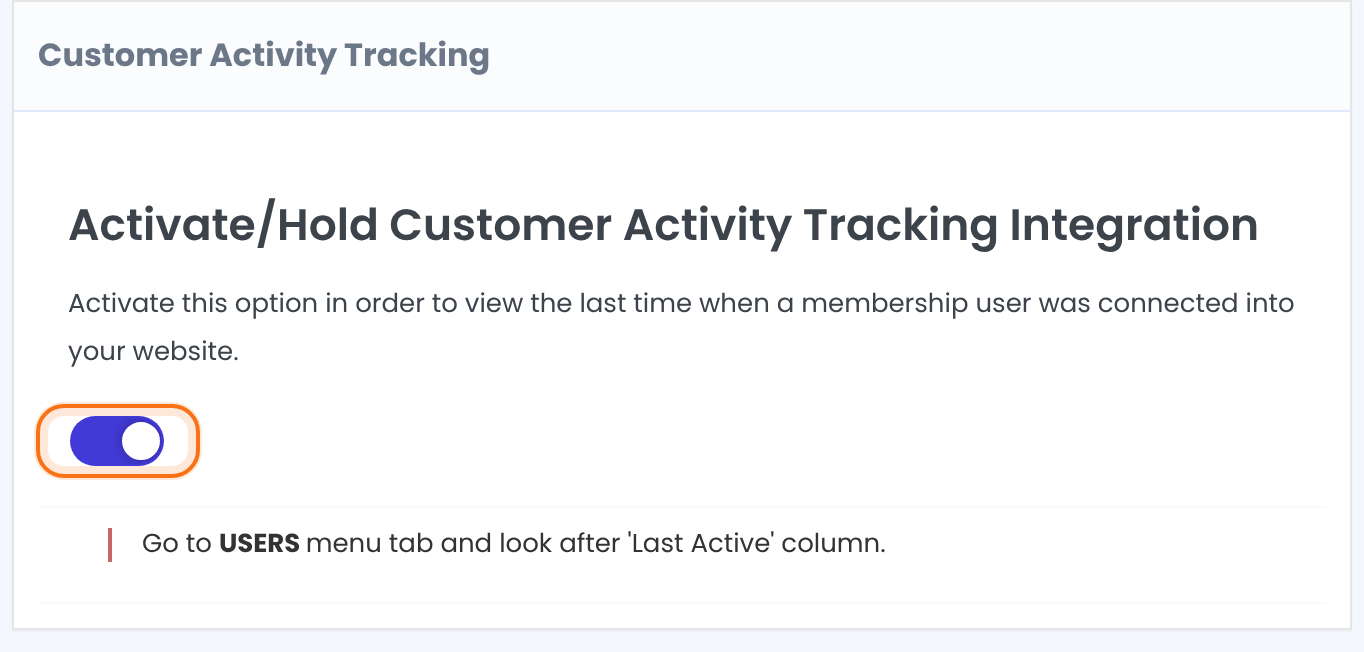
Tracking starts when you save. Visits from before that moment aren’t known, so every member shows a dash until their next visit.
Read the Last Active column
- Go to Ultimate Membership Pro›Members.
- Find the Last Active column, right after Member Since.
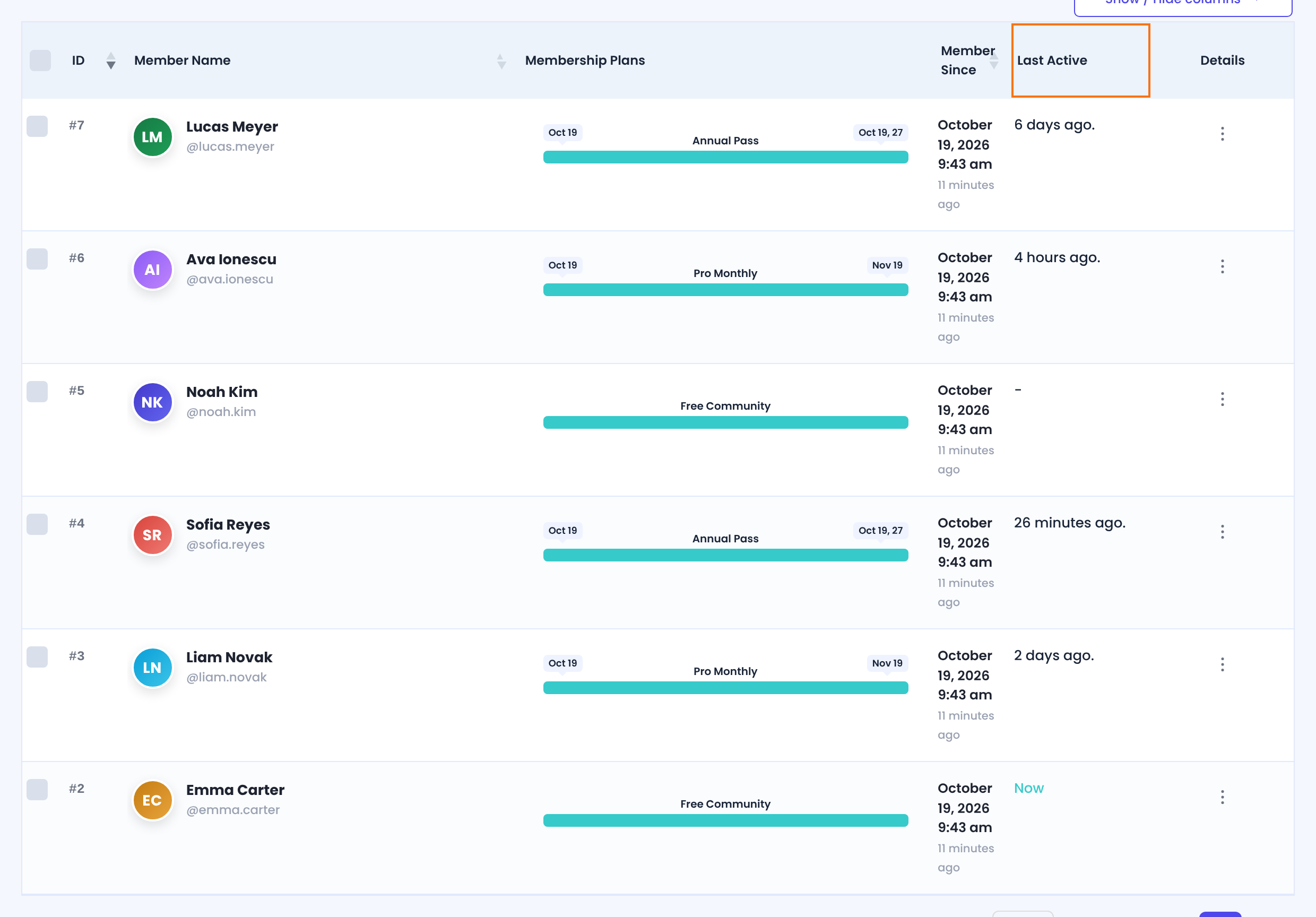
Every time a logged-in user opens a page of your site, such as the Member Portal or a blog post, the add-on stores the time. Screens in the WordPress admin aren’t counted. The column shows one of these values:
The member was active in the last 5 minutes.
The last visit was less than an hour ago.
The last visit was less than a day ago.
The last visit was a day or more ago.
No visit has been recorded since you switched the add-on on.
Tip
- The add-on keeps only the latest visit for each member, not a history. Each new visit replaces the previous time.
Customer Activity Tracking or Members Reports?
Both show something about member activity, but they answer different questions. The core Members Reports module is a log of events. See Track member activity.
Customer Activity Tracking
- Question it answers
- When was this member last on my site?
- What it stores
- One time per member: the latest page visit
- Where you see it
- Last Active column in the Members list
- Included in
- Pro add-on (Full Package and Agency plans)
Members Reports
- Question it answers
- What did this member do?
- What it stores
- A dated log: orders, coupons used, cancellations, email confirmations
- Where you see it
- Member Reports in a member’s Details menu, and View All User Reports
- Included in
- Core module of Ultimate Membership Pro
Use them together: Members Reports shows what a member did, and Last Active shows whether they are still visiting.
Example: spot quiet Pro Monthly members
- Add-on
- Customer Activity Tracking switched on
- Where
- Members, Last Active column
- Look for
- Pro Monthly members whose last visit was weeks ago
- Then
- Send them a short check-in email
Learn more about Customer Activity Tracking
- Customer Activity Tracking add-on page: what it does, at a glance.
- All Pro add-ons for Ultimate Membership Pro.
- Ultimate Membership Pro plans: Pro add-ons come with the Full Package and Agency plans.
- WordPress Users screen documentation.
Troubleshooting
How do I see when a member last visited my Ultimate Membership Pro site?
Switch on the Customer Activity Tracking add-on. The Last Active column of the Members list then shows how long ago each member last opened a page of your site while logged in.
Why does Last Active show a dash for a member?
The add-on hasn’t recorded a visit from that member yet. The time appears after the member next opens a page of your site while logged in.
Why is there no Last Active column in the Members list?
Check that the add-on’s switch is on and that you clicked Save Changes. The column appears after Member Since.
Does Last Active show when a member logged in?
It shows the last time the member opened a page of your site while logged in. A member who stays logged in between visits is tracked the same way.


